


Define
Set motor, grain, nozzle, and vehicle inputs in a controlled case.
Engineering simulation environment
A focused desktop environment for solid-motor internal ballistics, propellant-grain regression, particle-size studies, and coupled UAV booster dynamics.
◆Windows app · Available through Microsoft Store

Desktop application screenshots — controls inside these images are not interactive.
Simulation chain
Grain → Motor → VehicleOne run. One connected engineering record.
Windows desktop · English / Türkçe
Connected analysis
Set motor, grain, nozzle, and vehicle inputs in a controlled case.
Resolve regression geometry alongside chamber and thrust time histories.
Carry the calculated thrust curve directly into UAV booster dynamics.
Preserve inputs, results, notes, and plots in a run file and PDF report.
Inside the calculation
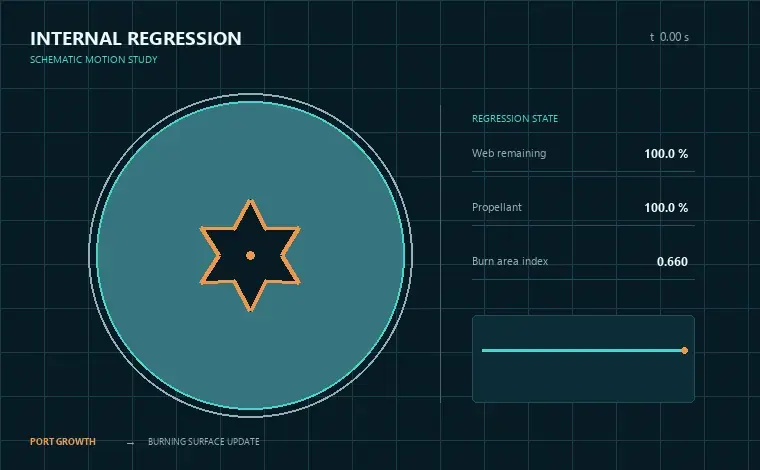
Port growth, remaining web, propellant volume, and burning area are read in the same moving view.
Engineering visualization · not test footage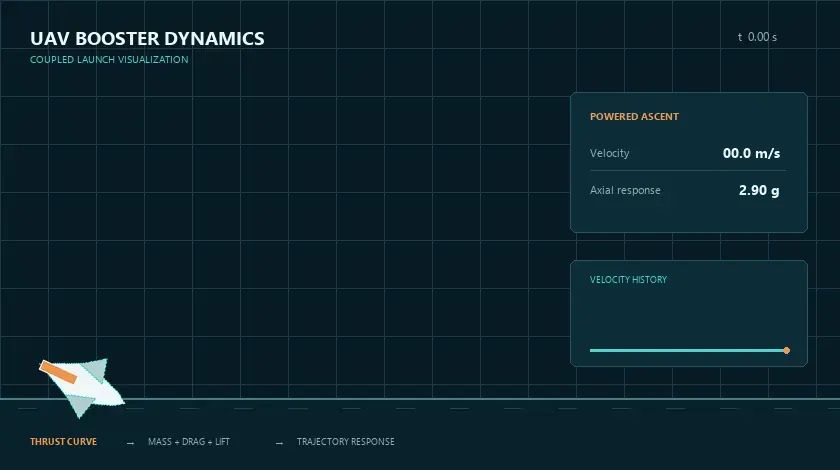
Mass, drag, lift, and launch angle are coupled to speed, g-force, and trajectory histories.
Engineering visualization · not test footageProduct structure
Internal-ballistics calculation, motor inputs, performance results, thrust and chamber-pressure histories.
Dynamic 2D sectional regression for Tubular, PFC, Multi-tube, Slot-Star, Dual Thrust, Star, and Wagon-Wheel grains.
Coupled speed, acceleration, position, drag, lift, mass, and launch-angle response driven by the calculated thrust curve.
Particle-size distribution case studies, property fitting, run-condition notes, and controlled reuse of estimated values.
Load test-motor measurements, calculate summaries, inspect measured curves, and retain experimental context.
Save a complete working run and export selected modules, inputs, results, notes, and plots to a structured PDF report.
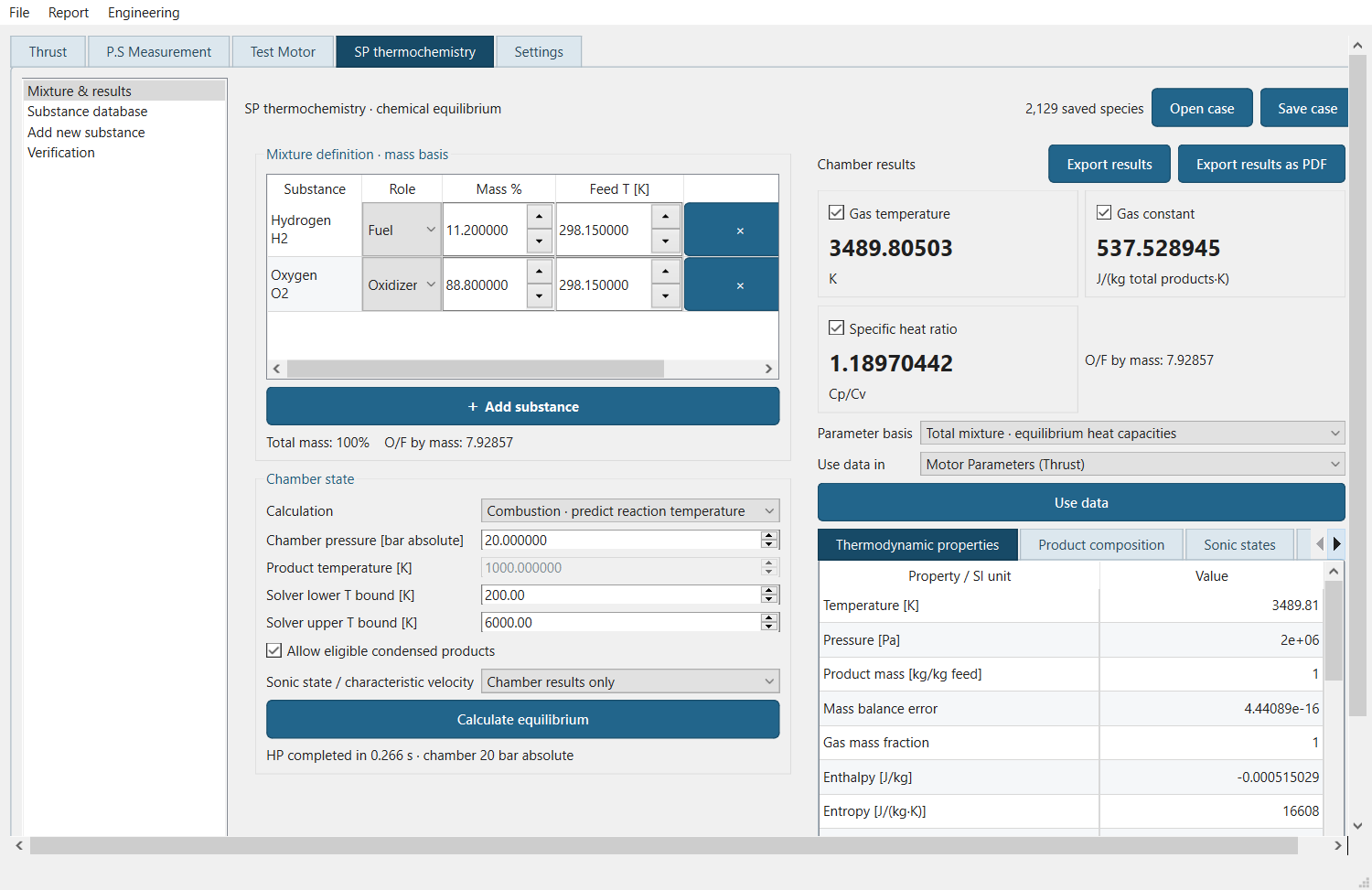
Calculate chemical equilibrium from a mass-based mixture, inspect chamber and product properties, and transfer selected results to motor parameters.
Define a fuel and oxidizer mixture by mass and calculate chemical equilibrium at the selected chamber pressure. Inspect gas temperature, gas constant, specific heat ratio, and product composition.
Transfer selected chamber properties to Motor Parameters or export results to PDF. Numerical checks do not replace experimental validation.
Validation discipline
The PropulsionLab validation page presents controlled-input comparison curves together with their scope, assumptions, and version context.
Explore validation →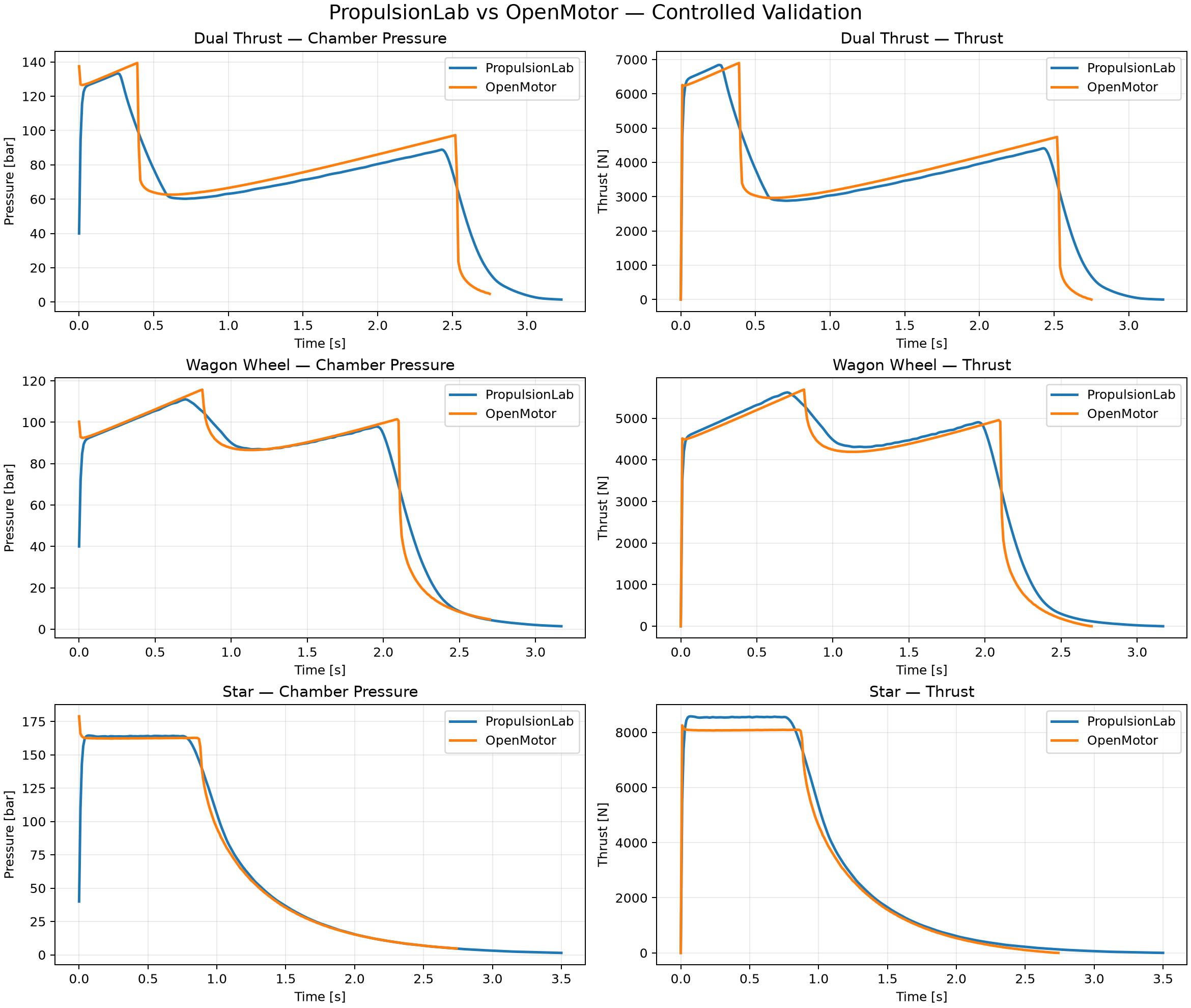
Microsoft Store subscriptions
LICENSE
Thesis, teaching, and non-commercial research
Contact for proposalLearn more →CORE OPTION
Individual subscription through Microsoft Store
$9.99 / month · $59.99 / yearLearn more →LICENSE
Teams and managed organizational use
Contact for proposalLearn more →Ready to evaluate PropulsionLab for your work?
Get from Microsoft Store→